The AI image generation stack for solopreneurs in 2026 is 4 tools that cover 90% of use cases: Midjourney for illustration, gpt-image-1 for photoreal + text, Replicate for batch jobs, and Photopea for cleanup — total cost $30-90/month for typical volume. This stack has shipped every image on 500k.io, every social asset for The Kreators AI brand work, and most of the hero illustrations across 45 articles. Eight months in, I haven’t paid a designer once, and the cost ratio is ~0.5% of revenue going to image generation.
This isn’t a “look at these cool AI images” post. It’s the practical workflow that runs on real deadlines for real published content. If you’ve read the AI video generation stack, this is the still-image companion.
What images solopreneurs actually need
Before the tool list, the use cases. The honest breakdown of what a solo founder generates monthly:
| Use case | Monthly count | Quality bar | Time per image |
|---|---|---|---|
| Article hero images | 8-30 | High (brand consistent) | 3-10 min |
| OG/social cards | 8-30 (same as hero) | High | Usually derived from hero |
| Social post images (LinkedIn, X) | 20-60 | Medium | 1-3 min |
| Product mockups (newsletter, lead magnet covers) | 2-10 | High | 5-15 min |
| In-article diagrams / illustrations | 5-15 | Medium | 2-5 min |
| Internal/non-published | 5-20 | Low | 1-2 min |
| Total | 48-165/mo |
For 500k.io at ~10 articles/month, I generate ~80-120 images/month across all categories. That’s the volume the stack below supports.
The 4-tool stack
Tool 1 — Midjourney (illustrative, artistic, brand)
Midjourney is still the king of stylistic and illustrative imagery in 2026. The output has a distinctive painterly, refined quality that’s recognizable from across the room.
| Property | Value |
|---|---|
| Cost | $30/mo Standard, $60/mo Pro |
| Interface | Discord (still) or web UI (mature now) |
| Best for | Hero illustrations, brand imagery, artistic stylistic |
| Worst at | Text rendering in images, exact prompt obedience |
| Output style | Painterly, refined, “looks like art” |
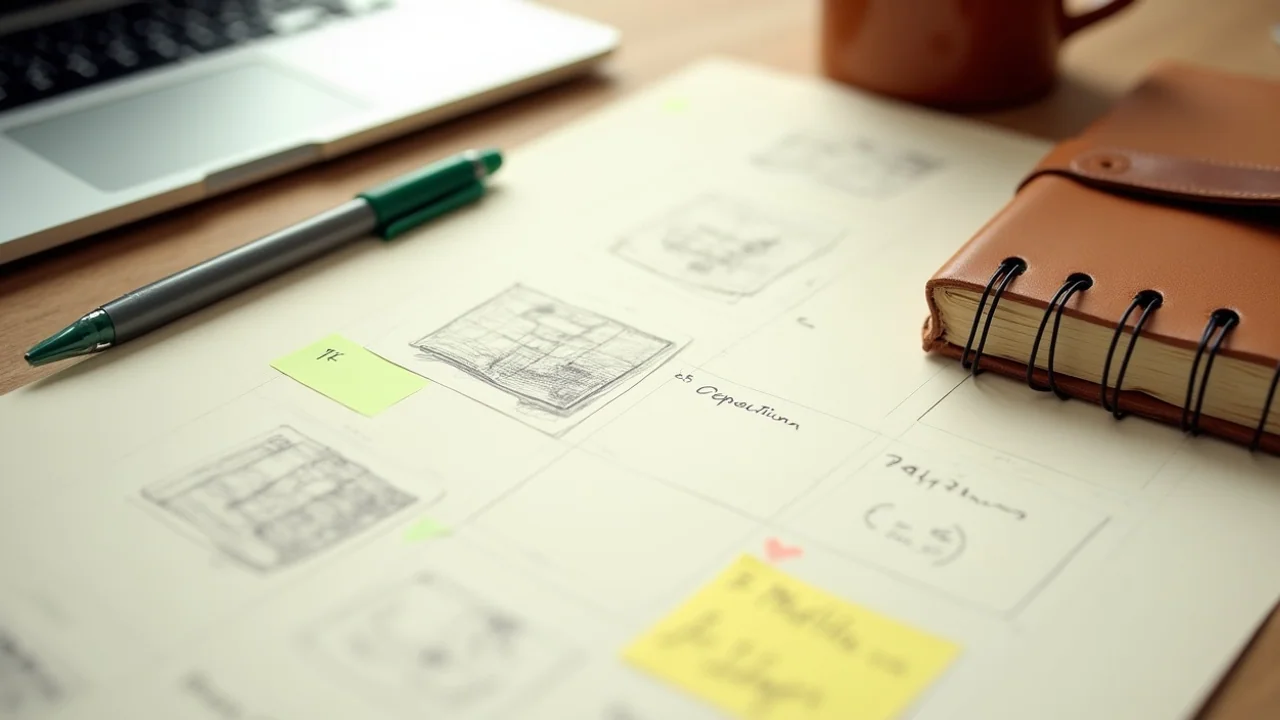
For 500k.io’s hero images (handwritten cream-paper aesthetic), Midjourney v7 nails it consistently. My typical hero prompt:
“Cream paper notebook with handwritten notes about [topic], fountain pen mid-stroke, warm natural light from a window, shallow depth of field, photographic, slightly aged paper texture —ar 16:9 —v 7”
The --ar 16:9 (aspect ratio) and --v 7 (version) flags lock the format and model. The style prompt at the start is consistent across every hero. Brand consistency comes from prompt template discipline.
Standard plan is fine for most solopreneurs. Pro adds higher concurrency and unlimited “relaxed” mode. Skip Pro until you’re generating 200+ images/month.
Tool 2 — gpt-image-1 (photoreal, text rendering, mockups)
OpenAI’s gpt-image-1 (released late 2025, mature by Q1 2026) is the model I reach for when I need:
- Photoreal imagery
- Text rendered correctly inside the image (Midjourney still struggles with this)
- Strict prompt obedience (“a Mac with exactly this text on the screen”)
- Product mockups with realistic detail
| Property | Value |
|---|---|
| Cost | Pay-as-you-go via OpenAI API (~$0.02-0.04 per image) |
| Interface | OpenAI API, Replicate, ChatGPT (Plus tier) |
| Best for | Photoreal, in-image text, product mockups, strict prompts |
| Worst at | Artistic style consistency at scale |
| Output style | Photoreal, accurate, “looks like a photo” |
Use case where gpt-image-1 wins: I need a mockup of a newsletter on a Kindle screen with the actual headline text readable. Midjourney would give me a Kindle with gibberish text. gpt-image-1 puts the actual text on the screen.
API cost is low. ~$0.02-0.04 per image means generating 50 images/month costs $1-2. Compare to Midjourney’s $30/mo flat. For low-volume photoreal needs, gpt-image-1 via API is cheaper.
Tool 3 — Replicate (batch jobs, model variety)
Replicate is a hosting platform for AI models. It exposes hundreds of image models via a unified API, including Flux, Stable Diffusion XL, gpt-image-1 (via OpenAI wrapper), and dozens of LoRA variants.
| Property | Value |
|---|---|
| Cost | Pay-as-you-go (~$0.005-0.04 per image depending on model) |
| Interface | API, web UI |
| Best for | Batch jobs (100+ images at once), trying multiple models, LoRA training |
| Worst at | Single-image quick generation (overkill) |
| Output style | Depends on chosen model |
I use Replicate for:
- Batch generation when I need 20+ variations of the same prompt (article variant testing)
- LoRA training (custom style model trained on 30 reference images, $1-5 to train, ~$0.005 per generation)
- Trying experimental models that haven’t reached Midjourney’s quality but might fit a specific niche
- Programmatic generation triggered by n8n workflows (e.g., article published → generate 3 social image variants automatically)
Replicate’s flexibility makes it the workhorse for any image work that’s automated rather than manual.
Tool 4 — Photopea (free cleanup + finishing)
Every AI-generated image needs some level of cleanup. Photopea is a free, browser-based Photoshop alternative. No subscription required. Loads on any computer.
| Property | Value |
|---|---|
| Cost | Free (with ads) or $3.33/mo to remove ads |
| Interface | Browser (no install) |
| Best for | Quick cleanup, layer work, light retouching, watermark addition |
| Worst at | Heavy retouching (use real Photoshop for that) |
| Output style | N/A — it’s a cleanup tool |
What I do in Photopea per image:
- Crop to exact aspect ratio
- Add light watermark or attribution if needed
- Fix one or two minor AI artifacts (a hand missing a finger, weird text)
- Export to WebP at 80% quality for web delivery
This step takes 2-5 minutes per image. Total time-add across 80 images/month: ~3-6 hours of cleanup. Worth it for the quality lift.
What I tried and killed
Three tools I tested and dropped:
Killed — Adobe Firefly
Why dropped: $20/mo for output that’s noticeably worse than Midjourney + gpt-image-1 combined. Firefly’s only real differentiator is “commercially safe training data” — which matters for enterprise users but not for solopreneurs publishing blog images. I tried Firefly for 60 days, never produced an image I preferred over the alternatives.
Killed — Canva Magic Studio
Why dropped: Output quality is mediocre for editorial work. Canva is great for templated graphics if you want a quick LinkedIn carousel; not great for hero images that need to feel distinctive. Plus the $12.99/mo subscription duplicates other tools I already use. Canceled after 30 days.
Killed — DALL-E 3 (replaced by gpt-image-1)
Why dropped: OpenAI replaced DALL-E 3 with gpt-image-1 in late 2025. gpt-image-1 is strictly better. I still have ChatGPT Plus for general AI work, but I no longer use DALL-E 3 specifically. The model is available but gpt-image-1 is the upgrade.
The honest workflow per image type
Hero images (article + OG)
- Open Midjourney
- Use the hero style template + topic-specific elements
- Generate 4 variants, pick the best
- Open in Photopea, crop to 1600x900 (article) and 1200x630 (OG)
- Export as WebP at 80% quality
- Drop into
public/img/articles/with the slug-matched filename
Total time: 8-12 minutes per article (1 hero + 1 OG, often the same image cropped differently).
Social post images (LinkedIn, X)
- Open gpt-image-1 via ChatGPT or API
- Generate a single image with a clear “punch” element (a quote, a chart, a single object)
- Photopea for any text overlay or branding
- Export at platform-specific dimensions (LinkedIn 1200x627, X 1600x900)
Total time: 4-6 minutes per social image.
Newsletter lead magnet covers
- Open Midjourney for the illustrative base
- Generate 4-6 variants over multiple prompts
- Best one → Photopea
- Add title text and author byline in Photopea
- Export at PDF cover spec (8.5x11 portrait)
Total time: 25-40 minutes per cover (the highest-touch image type).
Diagrams and illustrations
- For simple diagrams: hand-sketch on paper, photograph, drop in
- For complex AI-generated diagrams: gpt-image-1 (better at text and structure than Midjourney)
- Cleanup in Photopea
Total time: 5-15 minutes per diagram.
Brand consistency techniques
The biggest worry founders have about AI imagery: “It looks different every time.” Three techniques that solve this:
Technique 1 — The style template prompt
Write a 1-2 sentence style prompt that prepends every generation. My 500k.io template:
“Cream paper with handwritten notes, fountain pen, warm natural light, shallow depth of field, slightly aged paper texture, photographic, —ar 16:9 —v 7”
Every article hero starts with this template + topic-specific elements. The output is recognizable as 500k.io across the whole site.
Technique 2 — Train a Replicate LoRA
When the style is locked, train a custom LoRA. Process:
- Generate or curate 20-30 images in your locked style
- Upload to Replicate’s training endpoint
- Wait ~30-60 minutes for training
- Use the trained model for future generations (~$0.005 per image)
Cost: $1-5 to train, ongoing cost per image is lower than Midjourney. The output is 95%+ on-brand.
I haven’t trained a LoRA yet for 500k.io (the style template is enough). I likely will in Q3 2026 when I want even tighter consistency.
Technique 3 — Manual review and rejection
The discipline: anything that drifts off-style doesn’t ship. I reject ~25-30% of hero images on first generation and regenerate. The brand consistency is non-negotiable.
By month 4 of the practice, the rejection rate drops to ~10-15% because I’ve internalized which prompts produce on-brand output.
The 5-minute rule
The single most important time-management rule for AI image generation: any image taking longer than 5 minutes to generate (across multiple prompts and regenerations) means the prompt is broken. Stop, rewrite the prompt, start over.
The trap: you regenerate 8 times trying to nudge the output toward what you want. You sink 25 minutes. The 9th generation is still not right. Frustration kicks in.
The fix: at the 5-minute mark, stop. Rewrite the prompt from scratch. Often the rewrite produces the right output in 1-2 generations because you’re approaching it fresh.
I follow this rule strictly. Saves me ~3-5 hours/month of wasted iteration.
The honest single-paragraph image stack verdict
The AI image generation stack for solopreneurs in 2026 is Midjourney + gpt-image-1 + Replicate + Photopea — 4 tools covering hero images, photoreal mockups, batch jobs, and cleanup. Total cost: $30-90/month for typical volume. Skip Adobe Firefly, Canva Magic Studio, and DALL-E 3 (replaced by gpt-image-1). Brand consistency comes from style-template prompts (free) and optional LoRA training ($1-5 setup, cheaper per-image). The 5-minute rule prevents wasted iteration. Replaces a freelance designer for everything except logos and brand identity systems.
For the wider creative stack, see AI video generation stack 2026, AI voice cloning workflow, and marketing automation with AI.
FAQ
What's the cheapest stack to start with?
Replicate API at pay-as-you-go ($0.005-0.04 per image) + Cloudflare R2 for storage ($0/mo at low volume). Total: $5-15/mo at typical solopreneur volume (20-60 images). Skip Midjourney + Adobe + Canva subscriptions until you actually need them. Most solopreneurs at $0-10K MRR don't.
Midjourney or gpt-image-1?
Different jobs. Midjourney wins on stylistic, illustrative, artistic imagery. gpt-image-1 wins on photorealistic, in-image-text rendering, and prompt obedience. For hero images and brand illustration, Midjourney. For mockups with readable text or photoreal product shots, gpt-image-1. I use both.
Can AI replace a designer entirely?
For solo founder at $0-50K MRR, mostly yes — for hero images, social posts, OG cards, mockups. NOT for: logos, brand identity systems, complex UI design. Logos and brand systems still benefit from a human designer's taste and 'invisible' decisions. For everything else, AI hits 85% of professional quality at 5% of the cost.
What about copyright on AI images?
As of May 2026, AI-generated images in the US generally can't be copyrighted (per the Copyright Office's stance). For most solopreneur use cases (hero images, OG cards, social content), this doesn't matter — you don't need copyright protection on a blog hero. For commercial product packaging or major brand assets, consult a lawyer. Different rules apply in different jurisdictions.
How do I maintain a consistent brand look?
Three techniques. One, write a 'style guide' prompt template (e.g., 'cream paper, fountain pen, handwritten notes, warm natural light') and prepend it to every generation. Two, train a Replicate LoRA on 20-30 examples once your style is set. Three, manually review and reject anything that drifts. The first technique alone gets you 70% consistent; all three get you 90%.